Skip to content
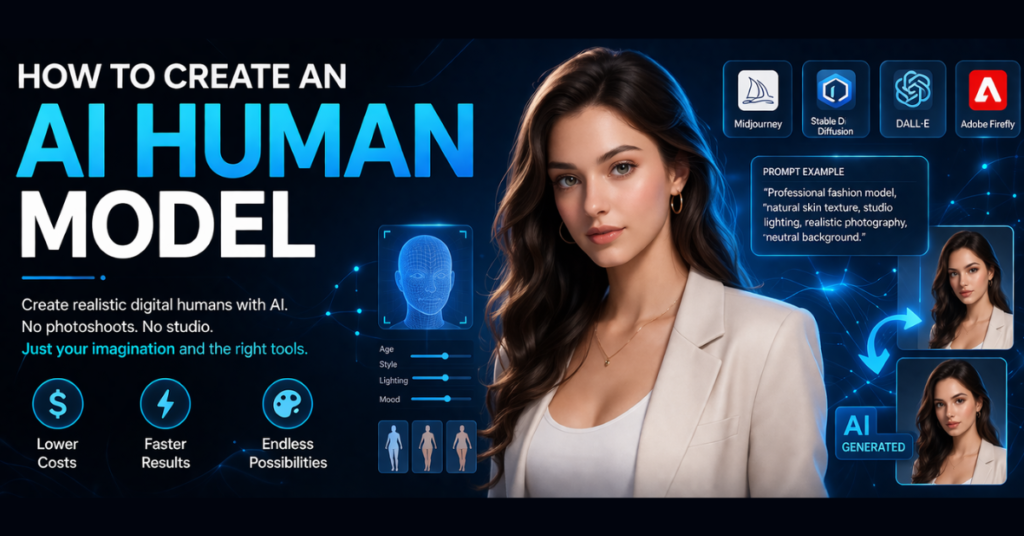
Artificial intelligence continues to transform how we create digital visuals. A few years ago, producing professional human photography required a camera crew, studio lighting, and experienced models. Today, I can generate realistic digital people using advanced tools powered by artificial intelligence.
Learning AI model creation allows creators, marketers, and designers to build realistic characters without traditional photoshoots. The technology now produces faces, body poses, clothing, and lighting that often look close to real photography.
In this guide, I will explain how I create an AI human model step by step, the tools I trust, and the techniques that improve realism. I will also discuss responsible use and the common mistakes beginners should avoid.
How I Understand AI Human Models in Simple Terms?
An AI human model refers to a digitally generated person created using artificial intelligence systems that produce images based on data and prompts.
These models often appear in:
- marketing visuals
- fashion previews
- advertisements
- website graphics
- social media content
Instead of hiring a physical model and arranging a photoshoot, creators can design digital characters that look realistic and professional.
According to research from McKinsey & Company, generative AI could add significant economic value to industries by improving creative workflows and content production. Image generation tools already assist designers and marketers across many sectors.
Why More Creators Are Turning to AI Model Creation
The rapid growth of generative technology has made AI model creation appealing for businesses and creators.
Here are a few reasons why many people explore this approach.
Lower Production Costs
Professional photoshoots require models, photographers, lighting equipment, and editing time. AI tools reduce many of these costs.
Faster Content Production
Instead of waiting days for a photoshoot, I can generate several variations of a digital model within minutes.
Flexible Visual Style
Artificial intelligence allows creators to experiment with different looks, outfits, and environments without physical limitations.
Consistent Brand Characters
Companies sometimes develop a recurring digital character that represents their brand across campaigns.
Several major AI systems help generate these visuals, including platforms developed by OpenAI and Stability AI.
AI Tools I Personally Use for AI Model Creation
Different tools support AI model creation, but some stand out because of their image quality and customization options.
Midjourney
Midjourney produces highly detailed portraits and creative visuals. Many designers use it for concept art and digital photography-style images.
Stable Diffusion
Stable Diffusion allows deeper customization and works through several interfaces. Many advanced users prefer it because it supports extensions and model training.
DALL·E
DALL·E focuses on generating images from detailed text prompts and supports different creative styles.
Adobe Firefly
Adobe Firefly integrates directly with the Adobe ecosystem and supports commercial-safe image generation.
Each of these tools converts written descriptions into images. The clearer the prompt, the better the result.
How I Create an AI Human Model Step by Step
Now let me explain the workflow I follow when I create an AI human model.
Step 1: Define the Character Concept
Before opening any AI generator, I first design the character concept.
I usually decide:
- age range
- appearance
- clothing style
- environment
- emotion or expression
Clear planning improves the final output because the AI system receives stronger guidance.
Step 2: Write a Detailed Prompt
Prompts act as instructions for the AI system.
Instead of writing something vague like “woman portrait,” I describe the person more clearly.
Example:
Professional fashion model, natural skin texture, studio lighting, realistic photography, neutral background.
Specific details improve the quality of the generated image.
Step 3: Generate Multiple Versions
The first result rarely becomes perfect.
Most platforms allow users to generate several variations. I review each image and choose the most natural-looking version.
When evaluating results, I check:
- facial realism
- lighting balance
- body proportions
- image clarity
This step helps identify the strongest candidate.
Step 4: Refine and Edit the Image
After choosing the best result, I refine the visual using editing software.
Two tools often help with final adjustments.
- Adobe Photoshop
- Canva
These platforms help correct lighting, enhance colors, or adjust backgrounds. Minor edits can make a digital character appear closer to real photography.
Step 5: Use the Model in Projects
Once the design looks realistic, I use the generated character in real content.
Common uses include:
- marketing graphics
- product promotion
- fashion previews
- website banners
- advertising campaigns
Some online stores now experiment with digital models to showcase clothing collections.
How I Make AI Human Models Look More Real
Creating convincing digital humans requires careful prompt design and visual awareness.
Over time I learned several useful techniques.
Include Camera Details
Professional photography terms help the AI mimic realistic shots.
Examples include:
- studio lighting
- DSLR photography
- 85mm portrait lens
- cinematic lighting
These details guide the system toward photographic results.
Avoid Unrealistic Perfection
Images sometimes look artificial when faces appear too smooth.
Adding phrases such as:
- natural skin texture
- subtle imperfections
- realistic pores
can improve authenticity.
Test Different Lighting
Lighting dramatically changes the final image. I experiment with soft light, natural daylight, or studio setups until the result looks convincing.
Ethical Rules to Follow When Creating AI Human Model
As AI human model technology grows, responsible use becomes increasingly important.
Experts from World Economic Forum highlight the need for transparency when using generative technologies.
When working with AI-generated visuals, I follow a few principles.
Avoid Impersonating Real Individuals
Creating digital characters that resemble real people without permission may raise ethical or legal concerns.
Be Transparent
If content uses artificial visuals, transparency helps maintain audience trust.
Encourage Diversity
AI training data sometimes produces biased outputs. Responsible creators aim for diverse representation.
Common Mistakes Beginners Make
When I first explored AI model creation, I noticed several common mistakes.
Writing Weak Prompts
Short prompts rarely produce detailed results. Clear descriptions help the AI understand the desired output.
Ignoring Lighting and Composition
Lighting strongly affects realism. Studio lighting prompts often produce the best images.
Overediting
Heavy editing can reduce realism. Small adjustments usually work better.
The Future of AI-Generated Humans
The field continues to evolve quickly. Research in Generative Artificial Intelligence keeps improving image quality and creative possibilities.
Future developments may include:
- AI avatars for virtual environments
- digital brand ambassadors
- AI influencers for social media
- personalized visual marketing
As technology improves, creators will likely combine AI visuals with traditional photography workflows.
Final Thoughts
Learning how to create an AI human model opened new creative opportunities for me. Instead of relying entirely on traditional production, I can now experiment with digital characters and visual concepts using AI tools.
The process usually involves five simple stages:
- define the character concept
- write a detailed prompt
- generate multiple variations
- refine the image
- apply the model in projects
When used responsibly, AI can expand creative possibilities rather than replace them. For designers, marketers, and digital creators, understanding these tools can unlock entirely new ways to produce visual content.
Sources
- McKinsey Global Institute – Generative AI research
- World Economic Forum – Responsible AI discussions
- Official documentation of Midjourney, Stable Diffusion, and Adobe Firefly

Ansa is a highly experienced technical writer with deep knowledge of Artificial Intelligence, software technology, and emerging digital tools. She excels in breaking down complex concepts into clear, engaging, and actionable articles. Her work empowers readers to understand and implement the latest advancements in AI and technology.